

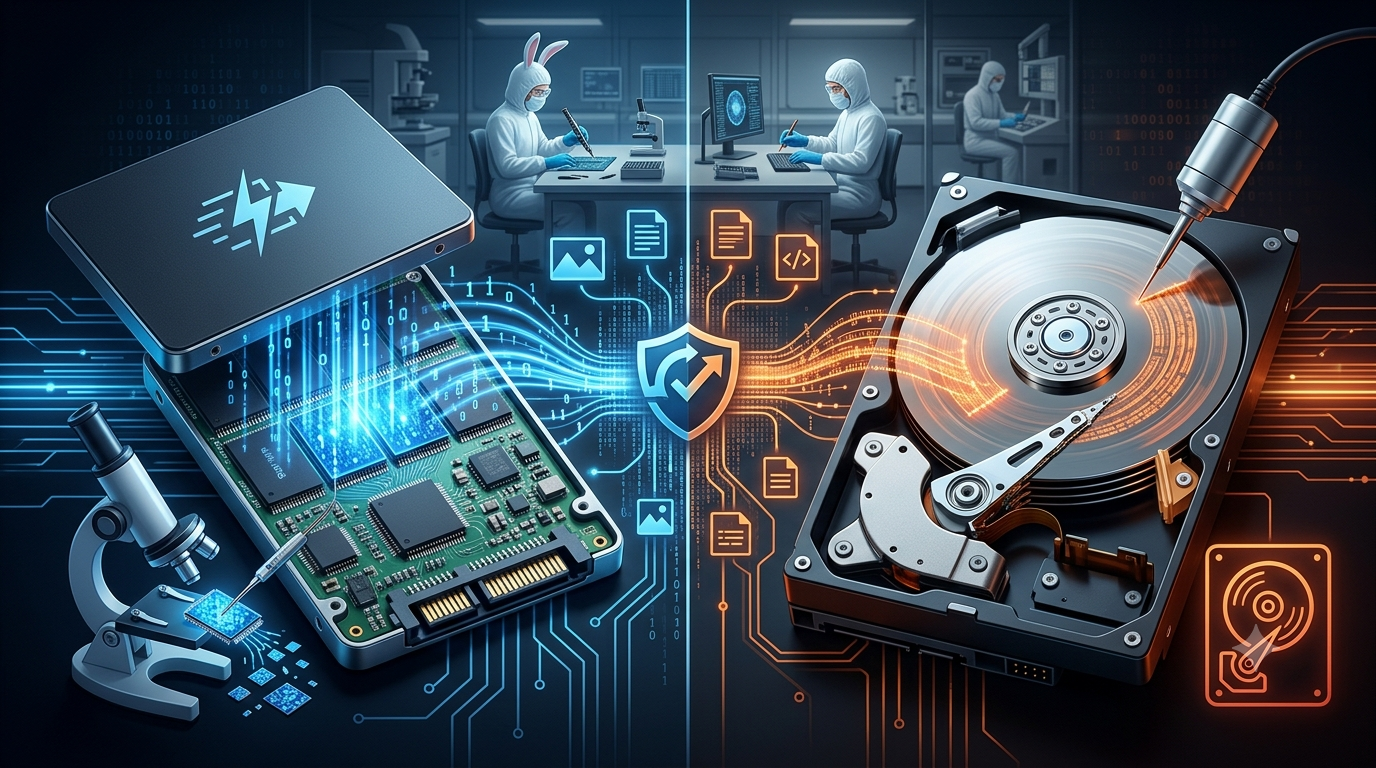

Losing important files can be one of the most frustrating experiences for any laptop user. Whether the loss is caused by accidental deletion, hardware failure, or physical damage, recovering your data often becomes the top priority. Understanding the differences between Solid State Drive (SSD) and Hard Disk Drive (HDD) data recovery is essential because each storage device requires a different recovery approach. At iPC Repair Houston, experienced technicians provide professional diagnostics and data recovery services for a wide variety of laptop issues. While many customers seek laptop screen repair Houston or screen repair Houston TX, data recovery is another critical service that helps protect valuable personal and business information.
Although both SSDs and HDDs store digital data, they operate using completely different technologies. As a result, recovering files from these devices varies in complexity, cost, and success rate.
Understanding HDD Storage
A Hard Disk Drive (HDD) stores information on spinning magnetic disks known as platters. A mechanical read/write head moves across the platters to access stored data.
HDDs have been widely used for many years because they offer:
- Large storage capacity
- Affordable pricing
- Easy upgrades
- Reliable long-term storage
However, because HDDs contain moving mechanical parts, they are more vulnerable to physical damage than SSDs.
Understanding SSD Storage
A Solid State Drive (SSD) stores data on flash memory chips instead of spinning disks. Since SSDs contain no moving parts, they provide faster performance and greater durability.
Benefits of SSDs include:
- Faster startup times
- Quicker file transfers
- Silent operation
- Lower power consumption
- Improved resistance to physical shock
These advantages have made SSDs the preferred storage option in most modern laptops.
Common Causes of Data Loss
Both HDDs and SSDs can experience data loss, although the causes may differ.
Some of the most common reasons include:
- Accidental file deletion
- Formatting errors
- Operating system corruption
- Virus or malware infections
- Power failures
- Physical impact
- Water damage
- Electronic component failure
Identifying the exact cause of the problem is the first step toward successful data recovery.
HDD Data Recovery
Recovering data from an HDD is often possible because deleted or inaccessible files may remain on the magnetic platters until they are overwritten.
Professional HDD recovery may involve:
- Repairing damaged firmware
- Replacing faulty read/write heads
- Recovering damaged partition tables
- Extracting files from corrupted drives
- Repairing mechanical failures
If the platters remain undamaged, professional technicians can often recover a significant amount of lost data.
SSD Data Recovery
SSD recovery is generally more complex than HDD recovery because SSDs manage data differently.
Many SSDs use technologies such as:
- Wear leveling
- Garbage collection
- TRIM commands
These features improve performance but can permanently erase deleted data much more quickly than traditional hard drives.
As a result, recovering deleted files from an SSD may be more difficult if the TRIM function has already removed the stored information.
Physical Damage vs. Logical Damage
Storage failures generally fall into two categories.
Physical Damage
Physical damage involves hardware failures such as:
- Broken connectors
- Damaged memory chips
- Failed controllers
- Motor failure (HDD)
- Head crashes (HDD)
These problems usually require specialized laboratory equipment and experienced technicians.
Logical Damage
Logical damage affects the software rather than the hardware.
Examples include:
- Deleted files
- Corrupted file systems
- Virus infections
- Partition errors
- Operating system failures
Logical recovery is often simpler when no physical damage is present.
Which Storage Device Is Easier to Recover?
In many situations, HDDs offer higher recovery success rates after accidental deletion because deleted data often remains on the platters until overwritten.
SSDs, however, can permanently erase deleted information more quickly because of TRIM technology.
Recovery success depends on factors such as:
- Type of failure
- Extent of damage
- Time since data loss
- Whether the device continued to be used
- Overall storage health
Professional evaluation is essential for determining the best recovery approach.
Signs Your Storage Drive May Be Failing
Recognizing early warning signs can help protect your data before complete failure occurs.
Common symptoms include:
- Slow file access
- Files disappearing unexpectedly
- Frequent system crashes
- Operating system failing to boot
- Clicking sounds from an HDD
- Error messages when opening files
- Laptop freezing during file transfers
If you notice these symptoms, stop using the laptop and seek professional assistance immediately.
How to Improve Recovery Success
Your actions immediately after data loss can greatly affect the chances of successful recovery.
Best practices include:
- Stop using the laptop immediately.
- Avoid installing new software.
- Do not save additional files.
- Avoid formatting the storage device.
- Contact a professional recovery technician.
Continuing to use the drive increases the likelihood that lost files will be overwritten.
Why Professional Data Recovery Matters
Modern storage devices are extremely sophisticated and require specialized equipment for safe recovery.
Professional technicians can:
- Diagnose the exact cause of failure
- Recover inaccessible files
- Repair damaged storage devices
- Recover business documents
- Restore photos and videos
- Extract data from physically damaged drives
Many repair providers also inspect the overall health of the laptop during recovery. If additional issues such as display damage are discovered, professional laptop screen repair Houston services can restore the laptop while protecting recovered data.
Tips to Prevent Future Data Loss
Although no storage device lasts forever, simple habits can greatly reduce the risk of permanent data loss.
Helpful recommendations include:
- Create automatic backups.
- Use cloud storage services.
- Keep antivirus software updated.
- Shut down your laptop properly.
- Protect your laptop from liquid damage.
- Avoid dropping the device.
- Monitor storage health regularly.
Preventive maintenance remains the most effective strategy for protecting valuable information.
Conclusion
Both SSDs and HDDs have advantages, but they require different approaches when data loss occurs. HDDs often offer better recovery opportunities after accidental deletion, while SSD recovery can be more challenging because of modern data management technologies like TRIM. Acting quickly after data loss and avoiding further use of the storage device greatly improves the chances of recovering important files.
Whether your laptop has experienced storage failure, accidental deletion, liquid damage, or hardware issues, iPC Repair Houston provides professional diagnostics and dependable recovery solutions. In addition to expert data recovery, the team also offers laptop screen repair Houston and reliable screen repair Houston TX services, helping restore both your laptop’s functionality and your valuable data with trusted professional care.