

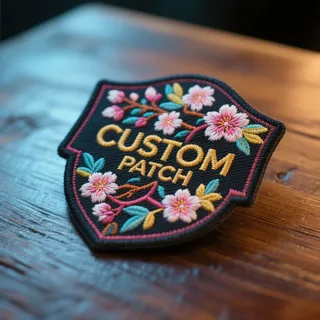

Anyone who has tried to order patches the old-fashioned way — emailing a factory, waiting for a callback, guessing at colors from a phone description — understands why online design tools took over. A custom patch designer online lets you upload artwork, pick your patch type, choose a backing, and see a proof before anything goes into production. It’s faster, and in theory, it removes the guesswork.
In practice, though, the tool is only as good as the company running it. A slick upload screen means nothing if the factory behind it can’t translate your design into clean stitching. So before handing over your artwork, it’s worth understanding what these tools actually do, and what separates a trustworthy one from a glorified order form.
The Basic Steps Behind Every Design Tool
Most platforms follow the same general flow, even if the interface looks different from site to site:
- Upload your logo, artwork, or text
- Pick the patch style — embroidered, woven, PVC, chenille, leather, or printed
- Choose size, shape, border, and backing (iron-on, sew-on, Velcro, adhesive)
- Get a digital mockup to review
- Approve the mockup, or request changes before it moves to production
The steps sound simple, but the details in between are where quality is decided.
Where Design Tools Quietly Fail
A patch designer that just resizes your image onto a patch-shaped template isn’t actually designing anything — it’s previewing. The tools worth trusting go further:
- They flag text or details too small to embroider cleanly
- They adjust color expectations for thread versus screen colors
- They let a real production artist review the file, not just an algorithm
- They allow revisions to the proof without extra charges or delays
If a platform skips straight from upload to checkout with no meaningful proofing step, that’s usually a sign the finished product will look different from what you expected.
Questions Worth Asking Before You Commit
A few quick checks can save you from an order you regret:
- Is the proof made from your actual file, or just a stock mockup?
- What’s the minimum order — does it fit a single team, event, or small batch?
- Can you request a revision, and is there a limit on how many?
- Does the backing option match how the patch will actually be used — a jacket patch has different needs than a hat patch or a uniform patch that gets washed weekly?
None of these questions take long to ask, and any legitimate manufacturer should have clear answers.
Why the Factory Behind the Tool Matters More Than the Interface
It’s tempting to judge a design tool purely on how smooth the upload experience feels. But the tool is just the front door — the stitching quality, thread durability, and finishing work happen after you click submit. A beautiful interface backed by inconsistent production still results in inconsistent patches.
This is really a sourcing decision disguised as a design decision. Comparing a couple of manufacturers side by side — proofing process, turnaround time, minimum order size — tends to matter more than which one has the flashiest online tool.
The Bottom Line
An online design tool should make ordering easier, not riskier. Look past the interface and ask who’s actually producing the patch, how proofing works, and whether revisions are part of the process. Get those answers right, and the design tool becomes exactly what it should be: a fast, low-friction way to turn an idea into a finished patch that matches what you had in mind — whether it’s a one-off design or a full batch of branded Custom Patches for a team, business, or event.