

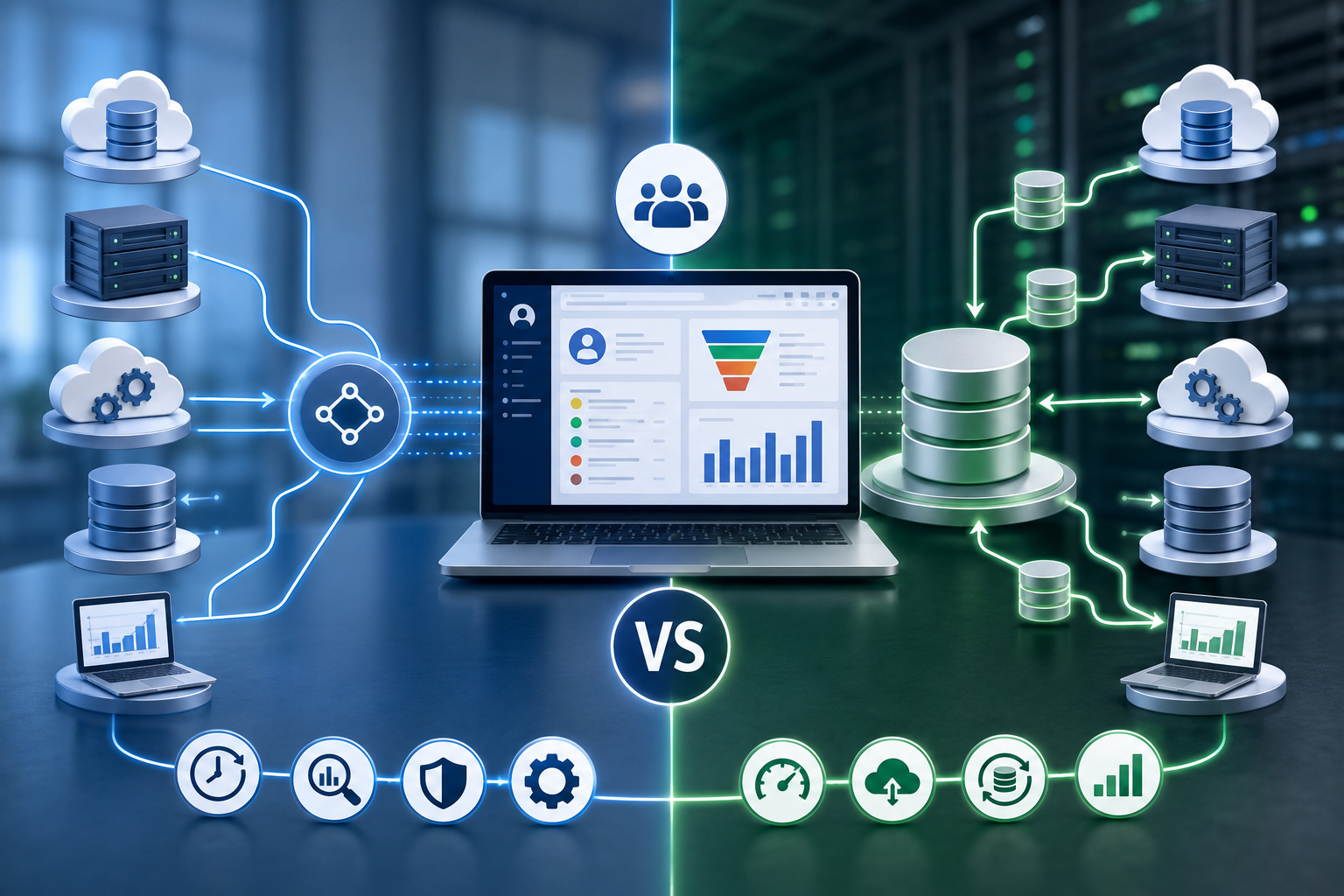

Modern CRM systems depend on timely, accurate, and accessible customer data. Organizations collect information from sales platforms, marketing tools, ERP applications, support software, and external databases. However, managing this growing volume of information presents significant challenges. Businesses must ensure every department accesses reliable data without sacrificing performance or security.
As organizations expand, they often connect their CRM platforms with several enterprise applications. A well-planned Salesforce Integration strategy supports this objective by enabling consistent data flow across systems. At the same time, companies must choose between data federation and data replication. Each approach offers unique advantages depending on operational priorities, reporting needs, and infrastructure requirements.
Although both methods improve data accessibility, they solve different business problems. Data federation provides virtual access to multiple sources without copying information. In contrast, data replication creates physical copies of data for faster local access. Understanding these differences helps organizations build scalable CRM environments that support growth and informed decision-making.
What Is Enterprise Data Federation?
Enterprise data federation is an integration approach that allows users to access data from multiple systems through a unified interface. Instead of moving information into one database, federation retrieves it directly from the original sources whenever needed.
This method creates a virtual data layer that connects CRM platforms with external applications. As a result, users view current information without maintaining duplicate records. The original systems remain the primary source of truth.
Data federation commonly relies on middleware, APIs, and virtualization technologies. These components translate requests, retrieve relevant records, and present unified results to users. Consequently, organizations avoid unnecessary storage while maintaining real-time visibility.
Many enterprises use data federation to connect CRM systems with ERP platforms, financial software, inventory databases, and cloud applications. Customer service representatives, for example, can access order histories, invoices, and support records without leaving the CRM interface.
Furthermore, this architecture reduces data redundancy. Since information remains within its original system, businesses eliminate many synchronization challenges. They also simplify governance by maintaining fewer copies of sensitive information.
However, federation depends heavily on source system availability. Slow networks or unavailable applications may affect query performance. Therefore, organizations should evaluate infrastructure before adopting this model.
What Is Data Replication?
Data replication copies information from one system to another. Unlike federation, replication stores physical copies of records within separate databases. These copies remain synchronized through scheduled or continuous updates.
Organizations typically implement replication to improve reporting performance, increase application speed, and support offline operations. Local databases reduce dependency on external systems during daily business activities.
Several replication methods serve different operational needs.
Real-Time Replication
Real-time replication transfers changes almost immediately after they occur. CRM users receive updated information within seconds or minutes. This approach supports operational environments requiring near-instant synchronization.
Financial services, healthcare providers, and customer support centers frequently benefit from real-time replication because they rely on current customer information.
Batch Replication
Batch replication transfers data at scheduled intervals. Updates may occur hourly, daily, or weekly depending on business requirements. Although this method introduces some delay, it consumes fewer computing resources.
Many reporting environments use batch replication because immediate synchronization is unnecessary.
Incremental Replication
Incremental replication copies only changed records instead of transferring entire databases. This approach reduces network traffic and storage requirements while maintaining consistent synchronization.
Organizations handling large datasets often prefer incremental replication due to its efficiency.
Overall, replication creates independent datasets that remain available even if the original application experiences downtime. Consequently, users maintain access to important business information without interrupting operations.
Enterprise Data Federation vs Data Replication: Key Differences
Although both methods improve CRM accessibility, they differ significantly across several technical and operational areas.
Data Storage
Data federation does not duplicate information. Instead, it retrieves records directly from their original locations through virtual connections.
Data replication creates physical copies within secondary databases. These copies become separate datasets that require continuous synchronization.
As a result, federation minimizes storage costs, while replication increases storage requirements.
Data Freshness
Federated systems access live information during each query. Therefore, users generally view the latest available records.
Replication depends on synchronization schedules. Real-time replication minimizes delays, yet batch replication may introduce noticeable latency.
Organizations requiring immediate customer updates often favor federation because it accesses current source data.
Performance
Federation performance depends on source systems, network quality, and query complexity. If multiple systems respond slowly, users may experience delays.
Replication improves local application performance because queries access nearby databases instead of remote systems. Reporting workloads also become faster since production systems experience less demand.
Consequently, replication often delivers better performance for analytics and large-scale reporting.
Infrastructure Requirements
Federation requires reliable middleware, secure APIs, and strong network connectivity. It also demands consistent availability from connected applications.
Replication requires additional databases, synchronization tools, storage capacity, and monitoring solutions. While infrastructure becomes larger, local performance often improves.
Businesses should evaluate long-term maintenance costs before selecting either architecture.
Security Considerations
Federation limits duplicate sensitive information because records remain within original systems. Centralized security policies become easier to enforce.
Replication creates multiple copies of confidential data. Therefore, organizations must secure every replicated database using consistent policies, encryption, and access controls.
Failure to protect replicated environments increases compliance risks.
Scalability
Federation scales efficiently when adding new data sources through standardized integration layers. However, increasing query complexity may affect response times.
Replication scales by expanding storage infrastructure and synchronization processes. Large enterprises often invest in automation to maintain reliable performance.
Each approach supports enterprise growth differently depending on workload characteristics.
Benefits of Enterprise Data Federation
Enterprise data federation offers several advantages for organizations managing diverse business applications.
Real-Time Business Visibility
Users access current information directly from source systems. Consequently, customer service teams make decisions using the latest available records.
Reduced Storage Costs
Federation eliminates unnecessary data duplication. Businesses avoid maintaining multiple copies across several databases, reducing storage expenses.
Single Source of Truth
Original applications remain authoritative data sources. This structure improves consistency while minimizing conflicting customer records.
Faster Integration Projects
Organizations connect systems without creating extensive replication pipelines. Development teams often complete integrations more quickly because they avoid building duplicate databases.
Simplified Compliance
Since fewer data copies exist, organizations manage security policies more effectively. Auditing and regulatory compliance also become less complicated.
Greater Flexibility
Federation supports both cloud and on-premises applications. Enterprises can connect additional systems without redesigning existing storage architectures.
These advantages make federation attractive for businesses prioritizing real-time visibility and simplified governance.
Benefits of Data Replication
Despite higher storage requirements, data replication provides several important operational benefits.
Improved Reporting Performance
Local databases process reports without affecting production CRM systems. As a result, business users receive faster analytics while operational applications remain responsive.
Offline Availability
Replicated databases continue functioning even when source systems become unavailable. Employees maintain access to essential information during outages or maintenance periods.
Better Application Performance
Applications retrieve information from nearby databases instead of querying remote systems. This approach reduces latency and improves user experience.
Disaster Recovery Support
Replicated environments provide backup copies that strengthen business continuity planning. Organizations recover critical information more quickly after unexpected failures.
Reduced Load on Source Systems
Reporting tools, dashboards, and analytics platforms operate against replicated databases. Consequently, production CRM systems experience fewer resource-intensive queries.
Although replication requires ongoing synchronization, these benefits make it valuable for performance-focused enterprise environments.
Limitations of Enterprise Data Federation
While data federation offers flexibility, it also introduces several challenges that organizations should consider.
Dependency on Source System Availability
Federated queries rely on connected applications. If one source system becomes unavailable, users may not access complete information. Therefore, system uptime directly affects the overall user experience.
Network Latency
Every request travels across networks before retrieving data. Slow connections or high traffic can increase response times. Businesses with distributed infrastructure should evaluate network performance carefully.
Complex Query Optimization
Queries spanning multiple systems often require advanced optimization. Without proper tuning, response times may decrease as more data sources join the environment.
Integration Complexity
Connecting legacy systems, cloud platforms, and third-party applications requires careful planning. Different data formats and communication protocols can complicate implementation.
Limitations of Data Replication
Although replication improves performance, it also creates operational responsibilities.
Increased Storage Requirements
Every replicated database consumes additional storage. As business data grows, infrastructure costs also increase.
Synchronization Challenges
Keeping multiple databases aligned requires reliable synchronization processes. Delays or failures may result in inconsistent customer information.
Higher Maintenance Effort
Replication environments require ongoing monitoring, testing, and administration. Database administrators must ensure synchronization jobs run successfully.
Risk of Outdated Information
Batch replication may leave users working with older records. This delay can affect decision-making in fast-moving business environments.
Duplicate Data Management
Multiple copies increase governance complexity. Organizations must secure every dataset while maintaining consistent retention and compliance policies.
When to Choose Enterprise Data Federation
Enterprise data federation works best when organizations require immediate access to live information.
Customer service teams benefit because they view the latest account details from several systems simultaneously. Financial departments also use federation for real-time reporting across multiple business applications.
Federation is suitable when:
- Real-time customer information is essential.
- Storage costs should remain low.
- Duplicate data must be minimized.
- Regulatory compliance requires a single source of truth.
- Cloud and on-premises systems need unified access.
Organizations adopting digital transformation initiatives often select federation to connect modern and legacy platforms without extensive data migration.
When to Choose Data Replication
Data replication becomes the preferred choice when speed and availability outweigh real-time synchronization.
Business intelligence platforms frequently analyze replicated databases instead of operational CRM systems. This approach protects production performance while supporting complex analytical workloads.
Replication is ideal when:
- Large reporting workloads occur regularly.
- Offline access is necessary.
- High-performance dashboards are required.
- Disaster recovery is a business priority.
- Analytics systems process massive datasets.
Companies operating across multiple regions also use replication to place local databases closer to users, reducing latency.
Hybrid Architecture: Combining Federation and Replication
Many enterprises no longer view federation and replication as competing strategies. Instead, they combine both approaches to achieve better business outcomes.
A hybrid architecture allows operational users to retrieve live customer information through federation. Meanwhile, reporting platforms analyze replicated datasets without affecting production systems.
For example, customer support agents may access current order information directly from operational systems. At the same time, executives review historical sales trends using replicated data warehouses.
This balanced approach improves performance, supports real-time decision-making, and reduces operational risk.
However, successful hybrid environments require strong governance. Organizations should clearly define authoritative data sources and synchronization policies before deployment.
Best Practices for CRM Data Integration
Selecting the right architecture is only part of the solution. Effective governance ensures long-term success.
Identify Authoritative Data Sources
Every business entity should have a clearly defined system of record. This practice reduces confusion and prevents conflicting customer information.
Establish Strong Data Governance
Organizations should define ownership, quality standards, and validation rules before integrating systems.
Secure Every Connection
Encryption, authentication, and role-based access controls protect sensitive customer information throughout the integration process.
Monitor Integration Performance
Continuous monitoring identifies synchronization failures, slow queries, and network bottlenecks before they affect business operations.
Plan for Future Growth
Businesses should design architectures that support increasing data volumes, additional applications, and expanding user populations.
Perform Regular Audits
Routine audits verify data accuracy, security compliance, and synchronization health across integrated environments.
Following these practices helps organizations maintain reliable CRM ecosystems while supporting future expansion.
Common Mistakes to Avoid
Several implementation mistakes can reduce the effectiveness of both federation and replication.
One common mistake is replicating every available dataset. Many organizations copy unnecessary information, increasing storage costs without delivering measurable business value.
Another issue involves ignoring network performance. Even well-designed federation architectures suffer when infrastructure cannot support distributed queries.
Poor governance also creates problems. Without standardized definitions, departments may interpret customer information differently.
Some organizations overlook monitoring after deployment. As a result, synchronization failures remain unnoticed until users report inconsistent information.
Finally, selecting one architecture without evaluating business objectives often produces disappointing results. Technology decisions should always support operational requirements rather than follow industry trends.
Future Trends
Enterprise CRM integration continues to evolve alongside cloud computing and artificial intelligence.
Data fabric architectures are becoming more common because they simplify access across distributed environments. These platforms combine automation, metadata management, and intelligent routing.
Artificial intelligence also improves query optimization. AI-driven tools identify performance bottlenecks and recommend better integration strategies.
Event-driven architectures continue gaining popularity as organizations require near real-time synchronization without excessive infrastructure overhead.
Cloud-native integration services also support faster deployment while reducing operational complexity.
As these technologies mature, enterprises will increasingly adopt flexible architectures that combine federation, replication, and intelligent automation.
Conclusion
Enterprise data federation and data replication both improve CRM performance, yet they address different business priorities.
Data federation delivers live access without creating duplicate records. Therefore, it supports organizations that require current information and simplified governance.
Data replication, however, creates local copies that improve reporting speed, offline access, and disaster recovery capabilities. Although it requires additional storage, it often delivers superior analytical performance.
Many organizations ultimately benefit from combining both approaches. A hybrid architecture provides real-time operational visibility while supporting high-performance analytics through replicated datasets.
Before selecting either strategy, businesses should evaluate performance expectations, compliance requirements, infrastructure capabilities, and long-term scalability goals. Choosing the right architecture ensures CRM systems remain reliable, efficient, and prepared for future growth