

Fortunately, regular maintenance can help prevent many common charging issues. If your phone struggles to connect with a cable, you may need to inspect the port before assuming something is seriously wrong. In some cases, a professional assessment or phone charging port repair Edmonton service may help identify underlying hardware problems. Understanding the difference between simple debris and physical damage can save time and protect your device.
Why Keeping Your Phone Charging Port Clean Matters
A charging port creates a physical connection between your phone and its charging cable. For reliable charging, the connector must make proper contact with the corresponding contacts inside the port. Even small amounts of accumulated debris can interfere with this connection.
Pocket lint is one of the most common causes of charging difficulties. Tiny fabric fibers can gradually collect inside the connector during everyday use. Over time, this material may become compressed and prevent the cable from fitting correctly.
Dust and other particles can also affect the connection. Additionally, moisture may cause corrosion or trigger liquid-detection warnings on supported devices. Therefore, keeping the charging port clean helps maintain reliable performance and makes it easier to recognize genuine hardware problems.
Regular inspection also allows you to identify unusual changes early. Instead of forcing a cable into a blocked connector, you can address the issue before additional damage occurs.
Common Signs That Your Charging Port Needs Attention
Your phone may display several warning signs when its charging port becomes dirty or damaged. Recognizing these symptoms helps you choose an appropriate next step.
1. The Charging Cable Does Not Fit Properly
A charging cable should connect without requiring excessive force. If the plug feels obstructed or cannot sit securely, debris might be preventing proper insertion.
However, a loose connection can also indicate a worn or damaged port. Avoid pushing the cable harder, as this may worsen the problem.
2. Charging Starts and Stops Unexpectedly
Your phone might begin charging before disconnecting a few seconds later. This behavior can result from accumulated lint, a damaged cable, or worn connector contacts.
Try a compatible cable and power adapter that you know work correctly. If the problem continues, the charging port may require further inspection.
3. Your Phone Charges Only at Certain Angles
Repeatedly adjusting the cable to maintain charging is not normal. This symptom can indicate a damaged connector or an unreliable cable connection.
Although debris may contribute, persistent angle-dependent charging should not be ignored. Avoid bending the cable because this can place additional stress on the port.
4. You Notice Visible Dirt Inside the Port
A flashlight can help reveal visible lint, dust, or other particles. Nevertheless, avoid inserting objects to investigate areas you cannot see clearly.
If debris appears compacted or difficult to reach, professional cleaning may be safer than attempting removal yourself.
5. Your Phone Displays a Moisture Warning
Some smartphones detect liquid or moisture in their charging connectors. This warning should be taken seriously, even if the phone appears dry.
Disconnect the cable and follow the manufacturer’s drying instructions. Do not attempt to override the warning by repeatedly reconnecting the charger.
How to Clean Your Phone Charging Port Safely
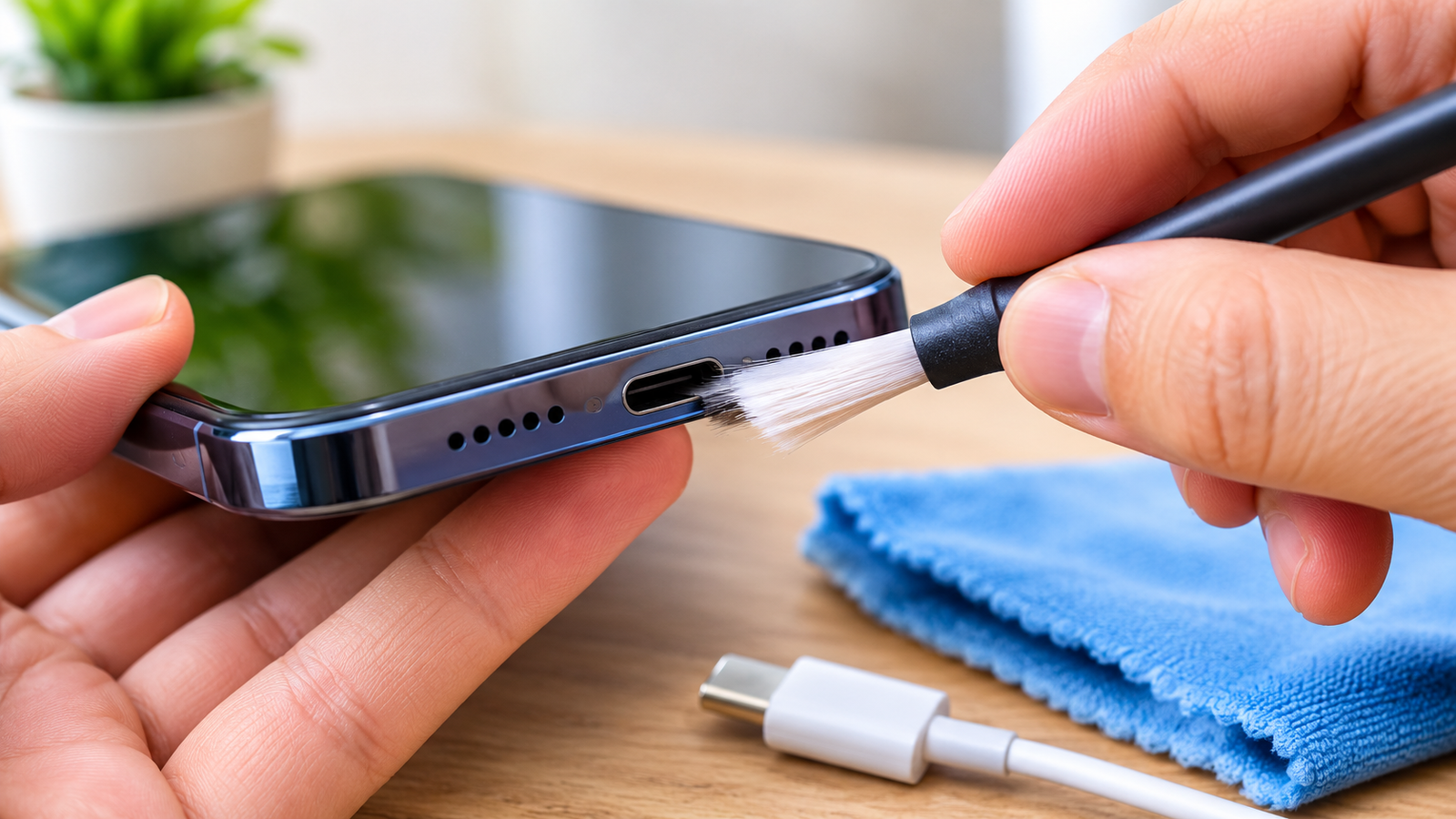
Cleaning a charging port requires patience and care. The connector contains delicate components that can be damaged by unsuitable tools or excessive pressure.
Step 1: Turn Off Your Phone
Disconnect the charging cable and switch off your device before inspecting the port. This precaution reduces electrical risks and helps prevent accidental damage during handling.
If your phone has a moisture warning, do not connect it to a charger while the warning remains active.
Step 2: Inspect the Port With a Flashlight
Use a flashlight to examine the connector without inserting anything. Look for visible lint, dust, or other material blocking the opening.
Avoid using metal probes or sharp objects to check the port’s depth. The internal contacts may be delicate and difficult to see.
Step 3: Follow the Manufacturer’s Cleaning Guidance
Different phones use different connector designs. Therefore, the safest cleaning method depends on your specific device and its manufacturer’s instructions.
Some manufacturers discourage inserting any tools into the port. If your instructions permit careful debris removal, use only an appropriate, nonconductive tool designed for that purpose.
Work gently and remove only accessible material. Never scrape the contacts, apply excessive pressure, or force a tool into narrow spaces.
Step 4: Avoid Liquids and Household Cleaning Products
Never pour water, alcohol, or other cleaning liquids directly into the connector. Liquid can reach internal components and cause corrosion or electrical problems.
Cotton swabs may also leave fibers behind or become stuck inside narrow openings. Similarly, paper clips, needles, and metal tweezers can damage contacts.
If you cannot remove the debris safely, stop and seek professional assistance.
Step 5: Check the Connection Carefully
After cleaning, make sure the port is dry and free from loose material. Reconnect a compatible charging cable only when the connector is safe to use.
Check whether the phone charges normally without moving the cable. If the problem persists, avoid repeated attempts and investigate other possible causes.
Everyday Habits That Help Keep Your Charging Port Clean
Preventive habits can reduce the amount of dirt entering your phone’s connector. Fortunately, most of these changes require very little effort.
Keep Your Phone Away From Dusty Areas
Avoid placing your phone on dusty workbenches, dirty floors, or surfaces covered with loose debris. These particles can enter the port when the device rests against them.
If you work outdoors or in a dusty environment, store your phone in a clean pocket or protective case when practical.
Use a Suitable Protective Case
A well-designed phone case can help protect your device from everyday dirt and accidental impacts. However, the case should fit correctly and leave the charging port accessible.
Some cases include port covers that offer additional protection against dust. Choose a design compatible with your phone and remove the cover before connecting the cable.
Store Your Phone Properly
Avoid keeping your phone in pockets containing loose change, crumbs, or other debris. These materials can accumulate around the connector during daily activities.
Instead, use a dedicated pocket or clean storage compartment. Also, keep the device away from areas where dust and moisture regularly collect.
Inspect the Port Occasionally
A quick visual inspection every few weeks can help you identify accumulating debris. You may also inspect the connector whenever charging becomes inconsistent.
However, frequent cleaning is unnecessary when the port remains clean. Avoid inserting tools simply because a routine cleaning date has arrived.
What You Should Avoid When Maintaining Your Charging Port
Some common cleaning practices can cause more harm than good. Understanding these risks helps protect your phone from preventable damage.
First, never use pins, needles, paper clips, or other metal objects inside the connector. These items can scratch contacts, cause electrical shorts, or damage internal components.
Second, avoid blowing forcefully into the port. Your breath contains moisture that may enter the connector and contribute to corrosion.
Third, do not use a hair dryer or another heat source to dry a wet charging port. Excessive heat can damage the phone’s components and seals.
Finally, never force a charging cable into an obstructed connector. If the plug does not fit normally, stop and inspect the situation instead.
How to Protect Your Charging Port From Moisture and Physical Damage
Moisture and careless handling can shorten the useful life of a charging connector. Therefore, protecting the port involves more than removing dust.
Keep your phone away from sinks, swimming pools, rain, and accidental spills. Even water-resistant devices have limitations, and their protection can weaken with age or physical damage.
If your phone becomes wet, disconnect any cable immediately. Follow the manufacturer’s drying instructions and allow the connector to dry naturally in a well-ventilated area.
Do not insert tissues, cotton swabs, or other objects to absorb moisture. Avoid charging the phone until the connector is safe to use.
Cable handling matters just as much. Hold the connector itself when unplugging your phone instead of pulling the cable. This reduces unnecessary stress on the port.
Additionally, avoid using your phone in ways that bend the charging cable sharply. Repeated pressure can gradually loosen the connector or damage the cable.
How to Tell Whether the Problem Is Dirt or Hardware Damage
Charging problems do not always result from a dirty port. Sometimes, the cable, power adapter, battery, or charging circuitry causes similar symptoms.
Begin by testing a compatible cable and adapter that work with another suitable device. Check the power outlet as well, because an unreliable power source can interrupt charging.
Next, observe whether the connector fits securely without unusual movement. A visibly damaged port, persistent disconnection, or signs of corrosion may indicate a hardware problem.
Pay attention to unusual heat, burning smells, or visible discoloration. Disconnect the charger immediately if these symptoms occur, and stop using the device until it has been assessed.
If the phone charges inconsistently despite using reliable accessories, avoid repeatedly adjusting the cable. A technician can inspect the connector and determine whether cleaning, component replacement, or another repair is appropriate.
When Should You Seek Professional Repair?
Professional assistance becomes important when safe cleaning and basic troubleshooting fail to resolve the problem.
Consider arranging an inspection if your phone no longer charges, the connector feels loose, or charging repeatedly disconnects. Visible corrosion and damaged contacts also require careful assessment.
Liquid exposure deserves particular attention. A phone may continue functioning after contact with moisture while internal corrosion develops later.
Likewise, persistent overheating or a burning smell requires immediate caution. Disconnect the charger when safe and avoid further charging attempts.
A technician can examine the charging port, test compatible accessories, and assess related components. This process helps identify the actual cause instead of replacing parts unnecessarily.
Most importantly, avoid attempting an invasive repair without the necessary tools and experience. Modern smartphones contain delicate components that can be damaged during disassembly.
Frequently Asked Questions
How Often Should You Clean Your Phone Charging Port?
There is no universal cleaning schedule for every phone. Inspect the port occasionally and clean it only when necessary. Devices used in dusty environments may require more frequent inspections.
Can Dust Prevent a Phone From Charging?
Yes, accumulated dust and lint can interfere with the connection between the charging cable and port. However, charging problems can also result from damaged cables, battery issues, or faulty hardware.
What Is the Safest Way to Remove Lint From a Charging Port?
Start by switching off the phone and inspecting the connector with a flashlight. Follow the manufacturer’s cleaning instructions and use only permitted tools. Seek professional help if the debris is compacted or inaccessible.
Can You Use a Toothpick to Clean a Charging Port?
A toothpick can splinter or damage delicate internal components. Do not use one unless the manufacturer specifically permits that method. A suitable nonconductive tool may be appropriate for certain devices, but instructions vary.
Why Does My Phone Charge Only When the Cable Is Held at an Angle?
This problem may indicate a damaged port, worn cable, or debris obstructing the connector. Test a compatible cable before drawing conclusions. If the issue continues, arrange a professional inspection.
Can Moisture Permanently Damage a Charging Port?
Yes, moisture can cause corrosion and damage electrical contacts. Some devices provide liquid-detection warnings to reduce this risk. Follow the manufacturer’s drying guidance and avoid charging a wet connector.
When Should a Charging Port Be Professionally Repaired?
Seek professional assistance when charging remains unreliable, the connector appears damaged, or cleaning does not resolve the problem. Overheating, corrosion, and persistent moisture warnings also warrant careful assessment.
Conclusion
Keeping your phone charging port clean and functional starts with simple maintenance and careful handling. Regular inspections, proper storage, and suitable accessories can help reduce common charging problems.
Equally important, avoid metal tools, cleaning liquids, excessive force, and unsafe drying methods. These practices can damage the connector instead of improving its condition.
When charging problems persist, look beyond visible dirt and consider other possible causes. A faulty cable, damaged connector, or internal hardware issue may require professional assessment.
By following these practical habits, you can protect your phone’s charging connection and reduce avoidable wear. With careful use and timely attention, your device can remain dependable throughout everyday activities.